Profiling Tools
LUnit includes built-in tools to help profile test suites.
These tools are meant to identify issues and locate parts needing improvement, but should not be used as hard benchmarking tools.
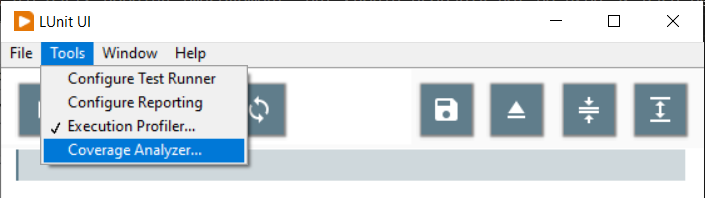
The tools are enabled from the Tools menu of the LUnit User Interface and the results are displayed after tests have been executed.
Execution Profiler
The execution profiler is used to profile the time each test method takes to execute. It is useful for identifying bottlenecks and improving the performance of a test suite. Once activated, the following window is shown after each test execution.
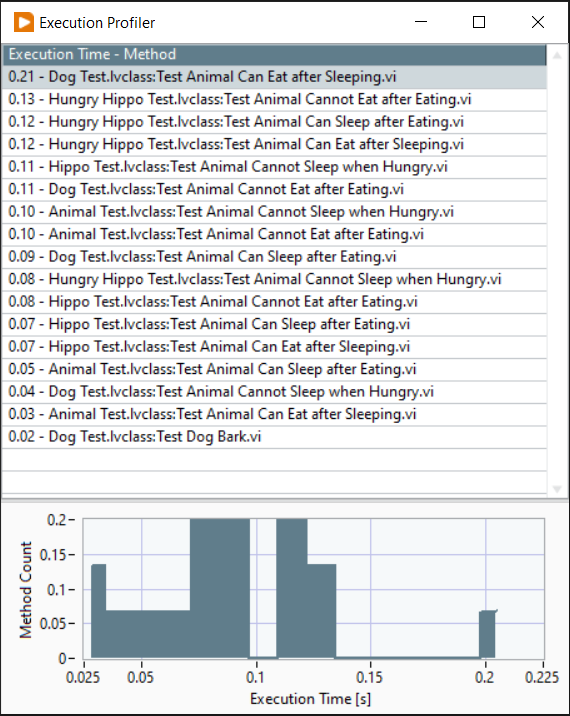
In the table, the execution time and the name of each test are shown, ordered by execution time. The histogram is useful to identify outliers, and it is often these tests that have the biggest impact on the total execution time.
Code Coverage Analyzer
The Code Coverage Analyzer was previously included in LUnit but has been moved to a separate add-on. It will be available as a standalone package and the documentation below describes its behavior.
The code coverage analyzer is useful for identifying parts of the code with low test coverage. The coverage is reported for each VI as a percentage indicating how much of the block diagram is exercised during test execution.
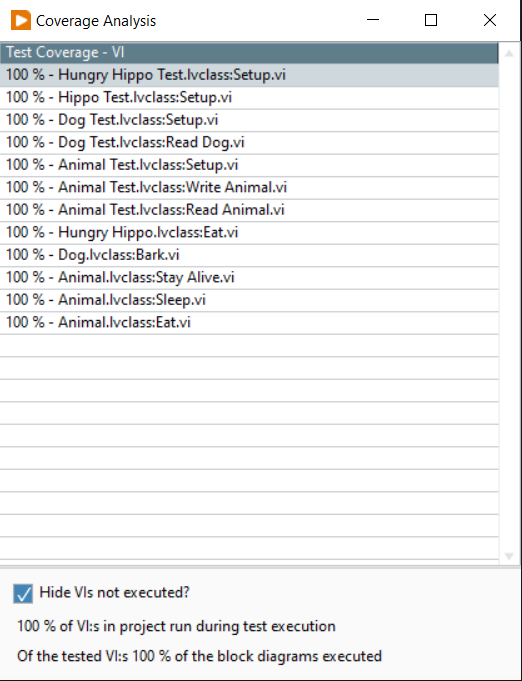
There are a few caveats to be aware of when using the coverage tool.
- The tool measures how many of the diagrams are executed in a VI as a percentage.
- The reported coverage is zero for VIs that do not have debugging activated.
- VIs in vi.lib are ignored.
- Any VI with a name starting with
testis ignored.
It is important to understand that the number obtained says nothing about the quality of the tests. It only reveals how much of the code is exercised by the tests. For a deeper discussion of the usefulness of the metric, please see this blog post.